
Real-Time Feedback for AI Conversations
Real-Time Feedback provides instant, AI-generated recommendations after each response during a Roleplay or Open-Ended Conversation lesson.
It helps you understand:
What you said
How can you say it better
Example improvements
Translation for clarity.
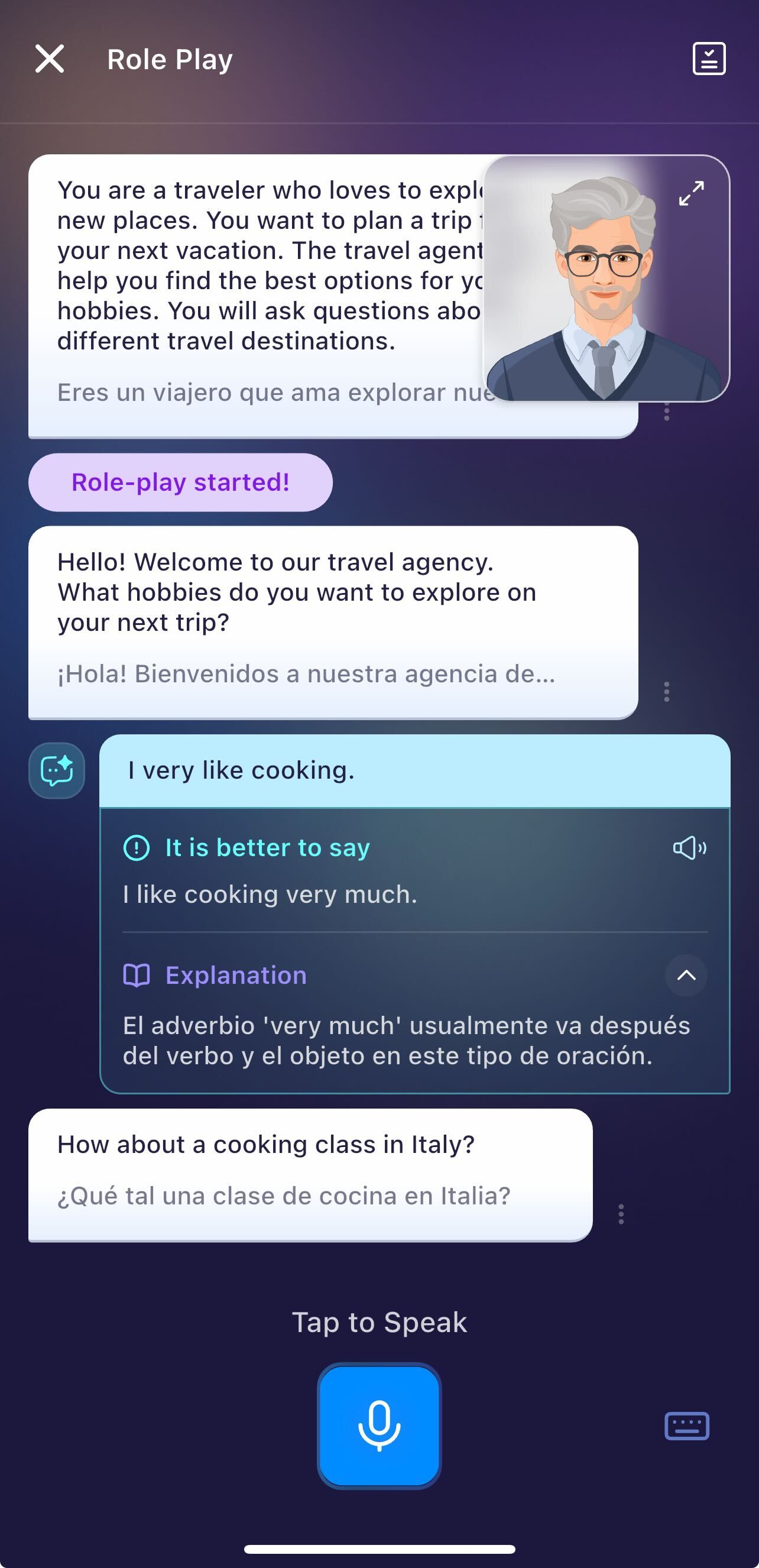
Lessons supported real-time feedback:
Currently, only Role-Play (in both Learning Path and AI Chats feature) or Open-Ended Conversation Lessons (in Learning Path) have this feature. For example, the lesson below is a roleplay game where you will find this feature available.
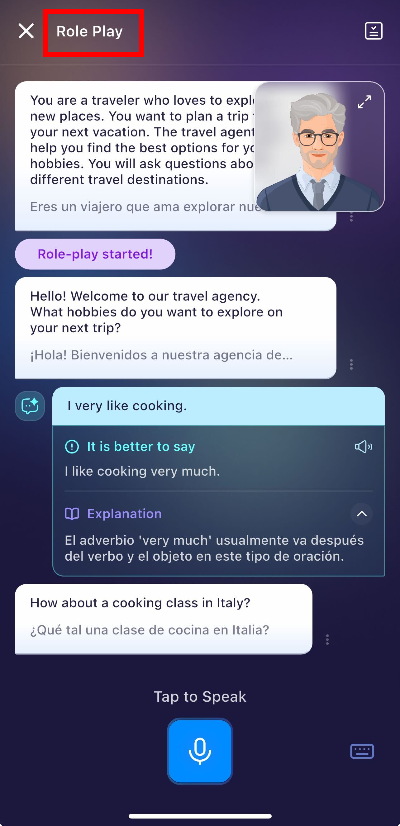
Tips: Look for the "Conversation" lessons (1) in Learning Path (located in AI Conversation Coach). Or go to AI Chats (2) and choose any AI Roleplay conversations.
Understanding the feedback:
Each feedback section contains:
1. Suggested Improvement
A better or more natural way to express what you said.
2. Explanation
Short notes explaining:
Why the suggestion is better
What grammar or vocabulary improvement was applied
Any nuance or tone adjustment
A translation (e.g., to Spanish) for better understanding
The icon has two states depending on AI evaluation:
A. The highlight shows your response needs improvement.
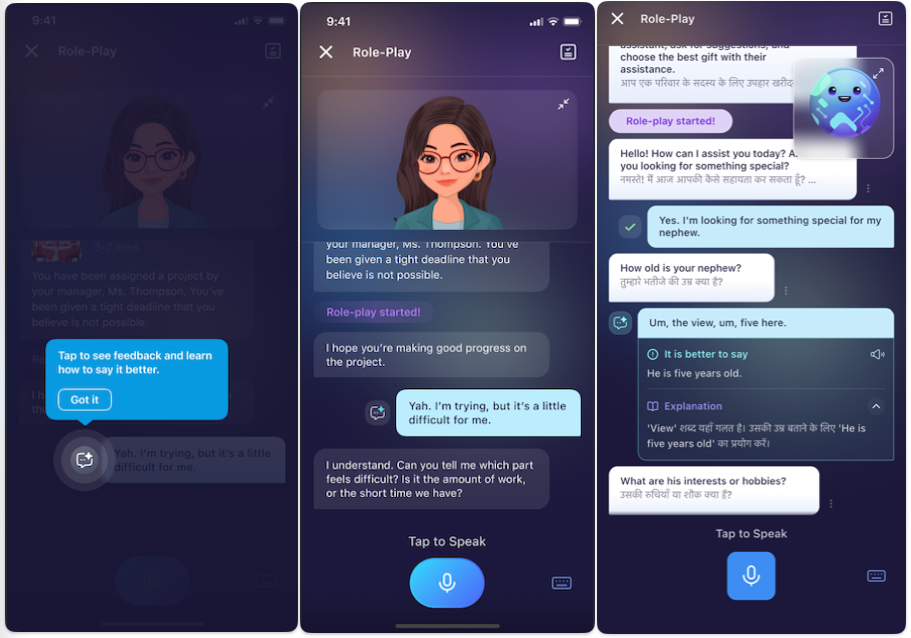
B. The checked mark indicates your response is good or natural.
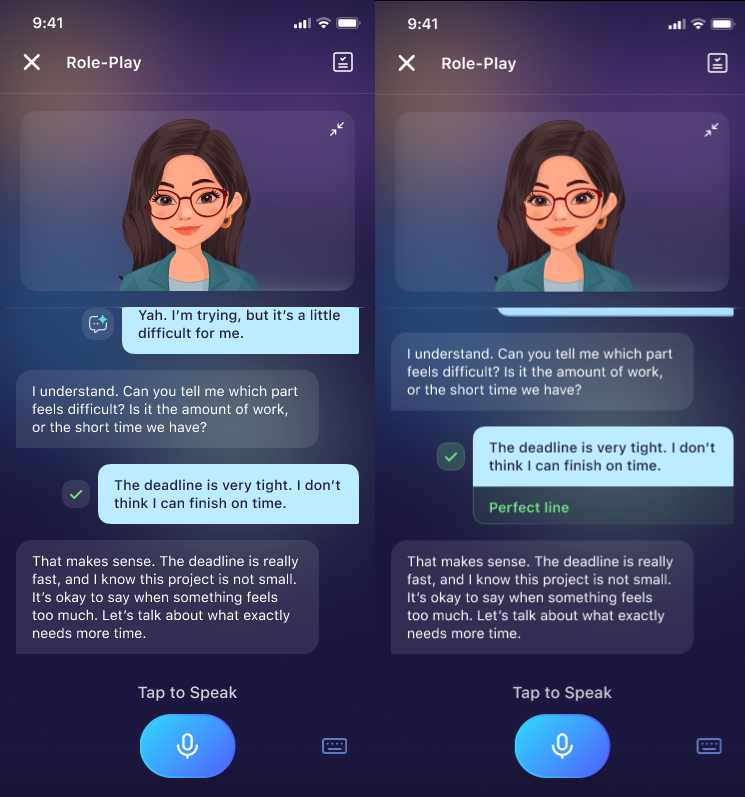
Important Notes & Limitations
Feedback quality may vary based on microphone clarity and background noise.
AI suggestions focus on naturalness, fluency, grammar, vocabulary, and tone, not only pronunciation.
------------
Frequently Asked Questions (FAQ)
Why am I not seeing feedback?
A: Feedback icons appear only in supported conversation-based lessons. If you're doing a pronunciation drill or structured exercise, the icon will not appear.
Can I view old feedback later?
A: You can scroll up anytime within the same conversation to access previous feedback. Note that the feedback will not be saved if you close the conversation.
Can I get feedback in another language?
A: Yes. The improved suggestion includes a translation based on your language settings. To set up the language, go to Profile and change the Display Language settings.
Does feedback evaluate pronunciation?
A: It focuses mainly on expression, naturalness, and clarity. Some pronunciation hints may appear when relevant.
Was this article helpful?
Or open the chat in the corner to ask follow-up questions.