
調整應用內音效音量
Updated July 28, 2026
Automatically translated. View the original in English.
音效設定允許您獨立於語音和機器人音頻來開啟或關閉應用內音效。
此功能僅在 Android 和 iOS 9.0.7 版本或更新版本上提供。
當音效關閉時,只有應用內音效會被靜音。語音和 AI 助教音頻設定將保持不變。
如何調整應用內音效音量
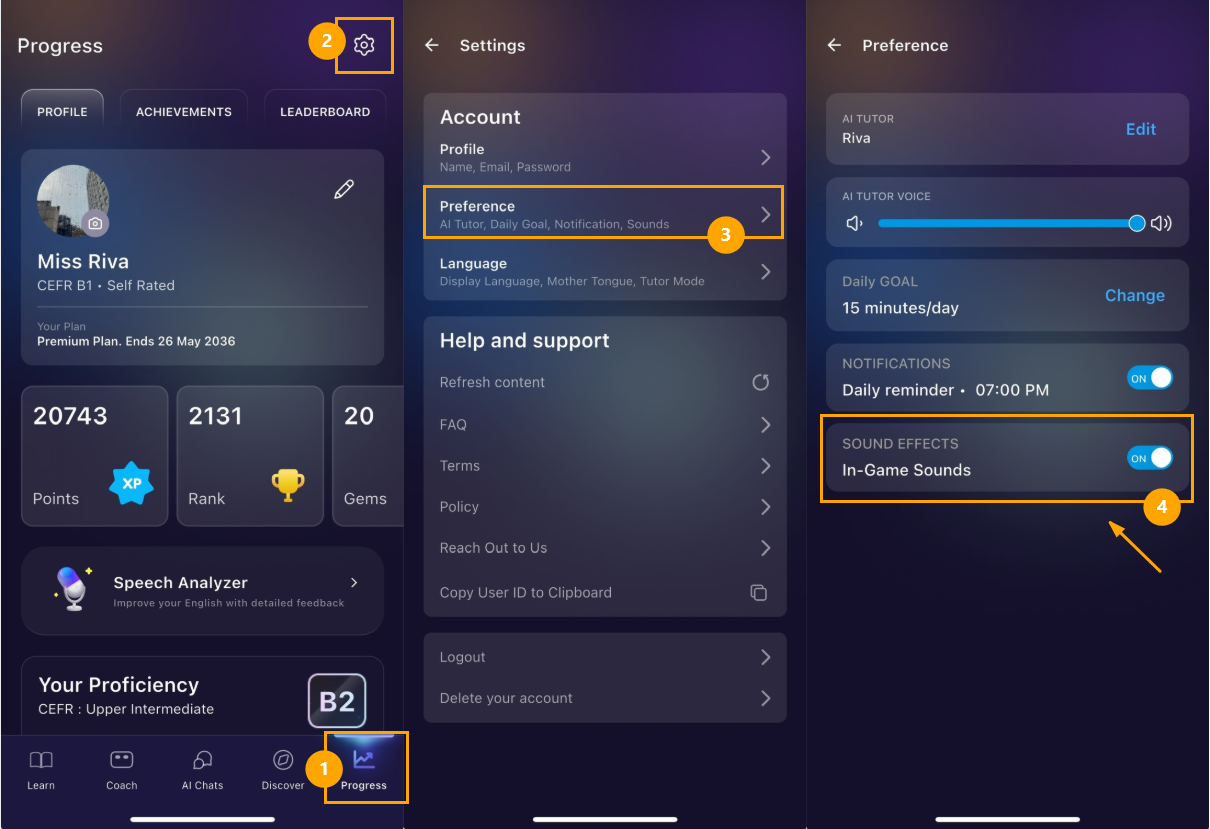
開啟「進度」選項卡
點選螢幕右上角的設定圖示。
點選「偏好設定」
根據您的偏好切換音效的開啟或關閉
Was this article helpful?
Or open the chat in the corner to ask follow-up questions.