
Bilingual Mode
Feature is only available on the new version of ELSA.
For A1 and A2 learners, you will have the option to select practicing in your Mother Tongue, and then ELSA AI avatar will automatically speak in your native language. This means that you can learn English using your native language.
However, you can only respond in English. This feature is only for Grammar/ Vocabulary game types.
Su****pported languages for bilingual:
- Chinese (Simplified)
- Chinese (Traditional)
- French
- German
- Hindi
- Indonesian
- Korean
- Portuguese (Brazil)
- Portuguese (Portugal)
- Spanish
- Turkish
- Vietnamese
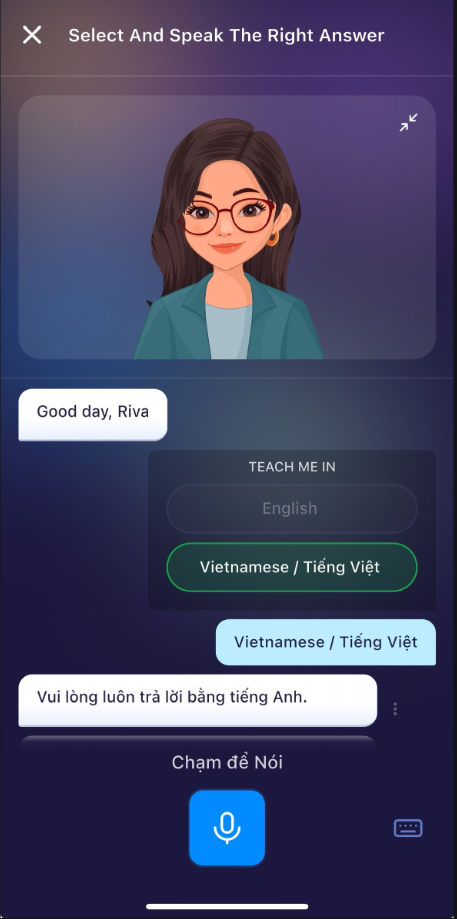
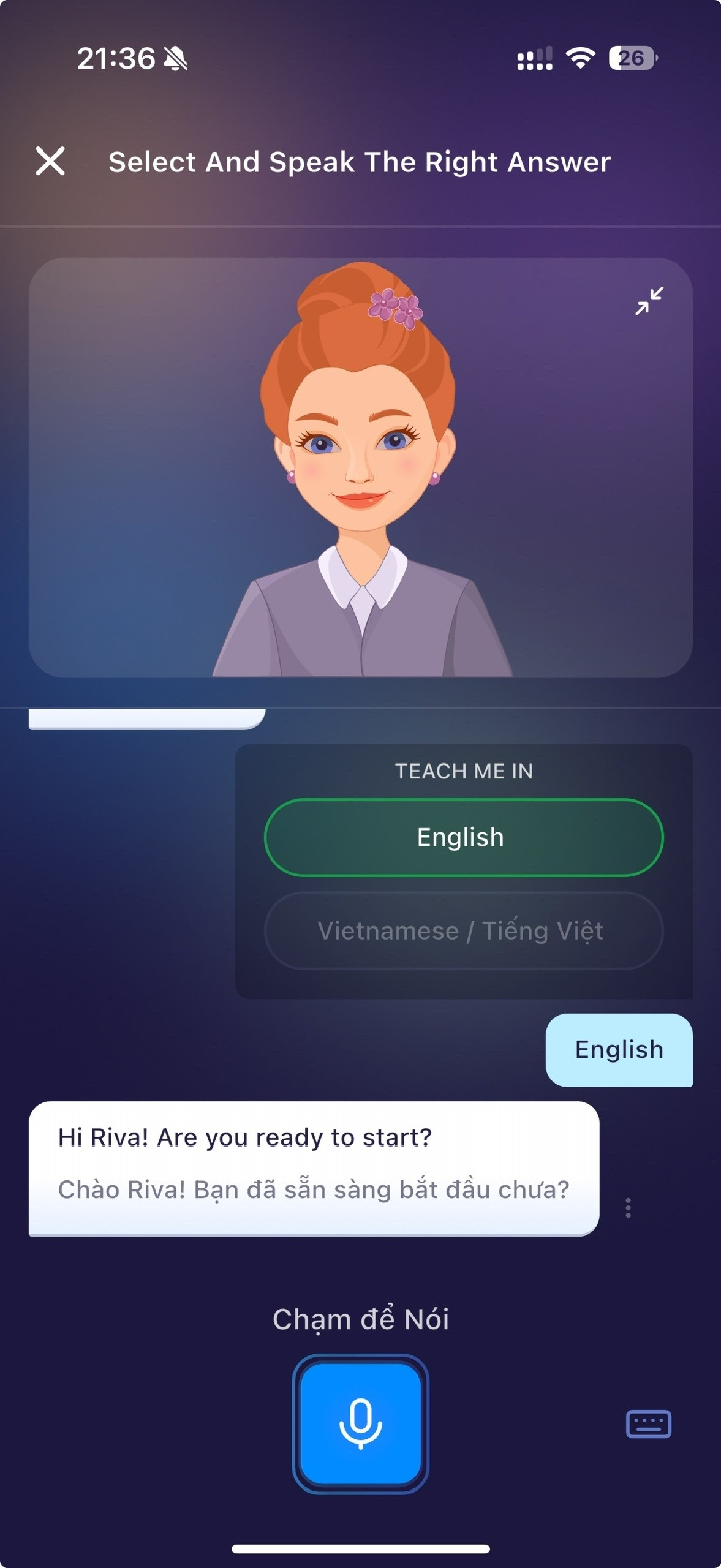
You can disable this feature in 2 ways:
When the bilingual popup appears for the first time, choose “English”. ELSA will continue speaking in English for your lessons.
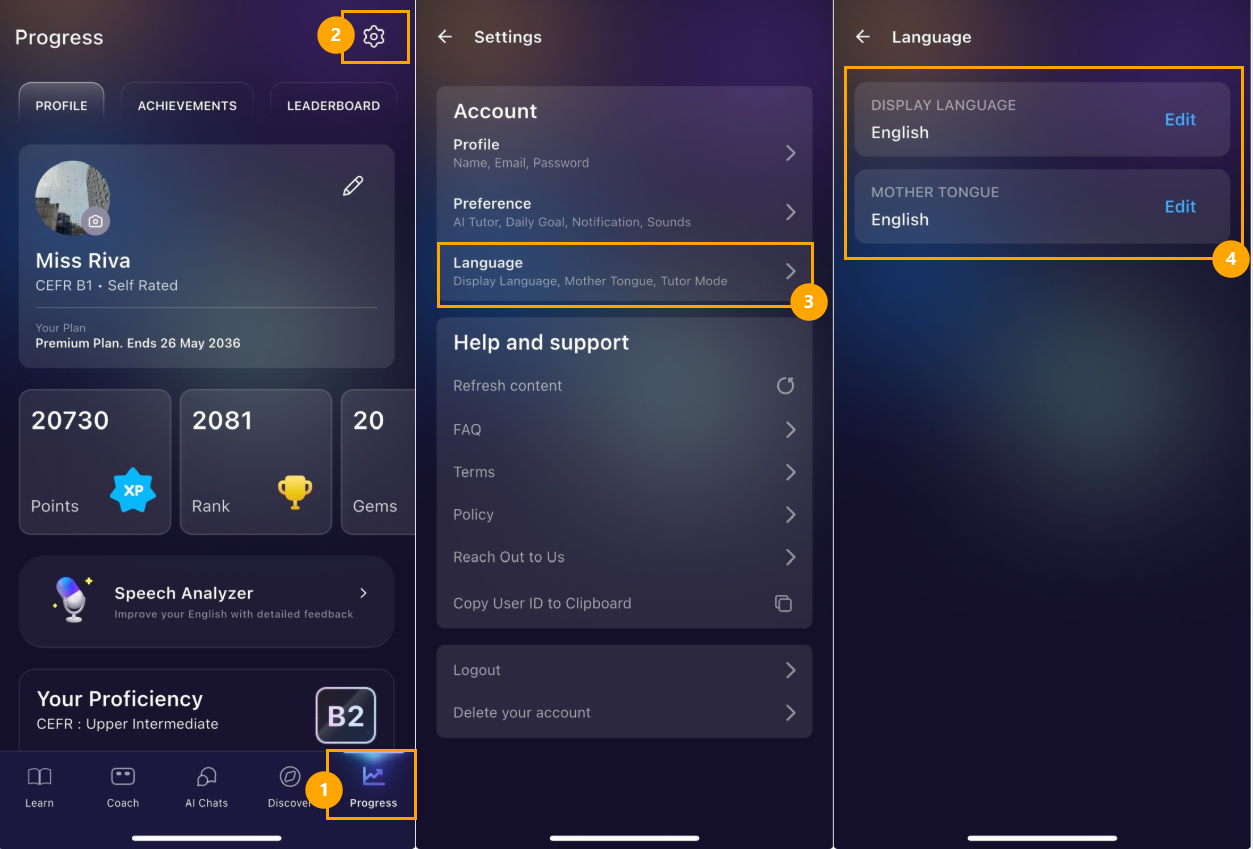
If you change your mind later and want to turn off this feature, you can change your Mother Tongue to English in Settings.
Was this article helpful?
Or open the chat in the corner to ask follow-up questions.