
Adjust In-app sound effect volume
Updated June 3, 2026·14 views
The Sound Effects setting allows you to turn in-app sound effects on or off independently from voice and bot audio.
This feature is only available on Android and iOS version 9.0.7 or later.
When Sound Effects are turned off, only in-app sound effects will be muted. Voice and AI Tutor audio settings will remain unchanged.
How to adjust in-app sound effect volume
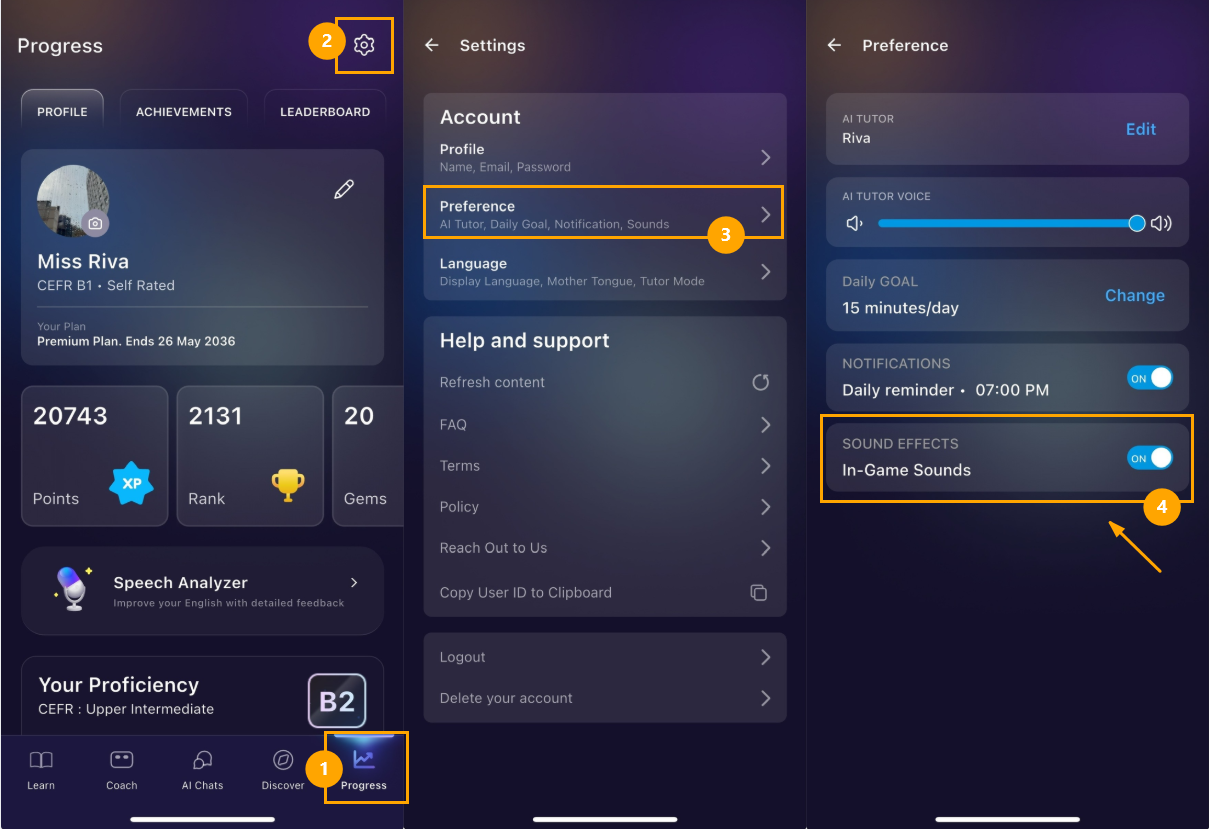
- Open the "Progress" Tab
- Tap the Settings icon on the top right corner of the screen.
- Tap "Preference"
- Toggle Sound Effects on or off based on your preference
Was this article helpful?
Or open the chat in the corner to ask follow-up questions.