
How to deactivate and revoke access of a student
To Deactivate a Student and Revoke Access:
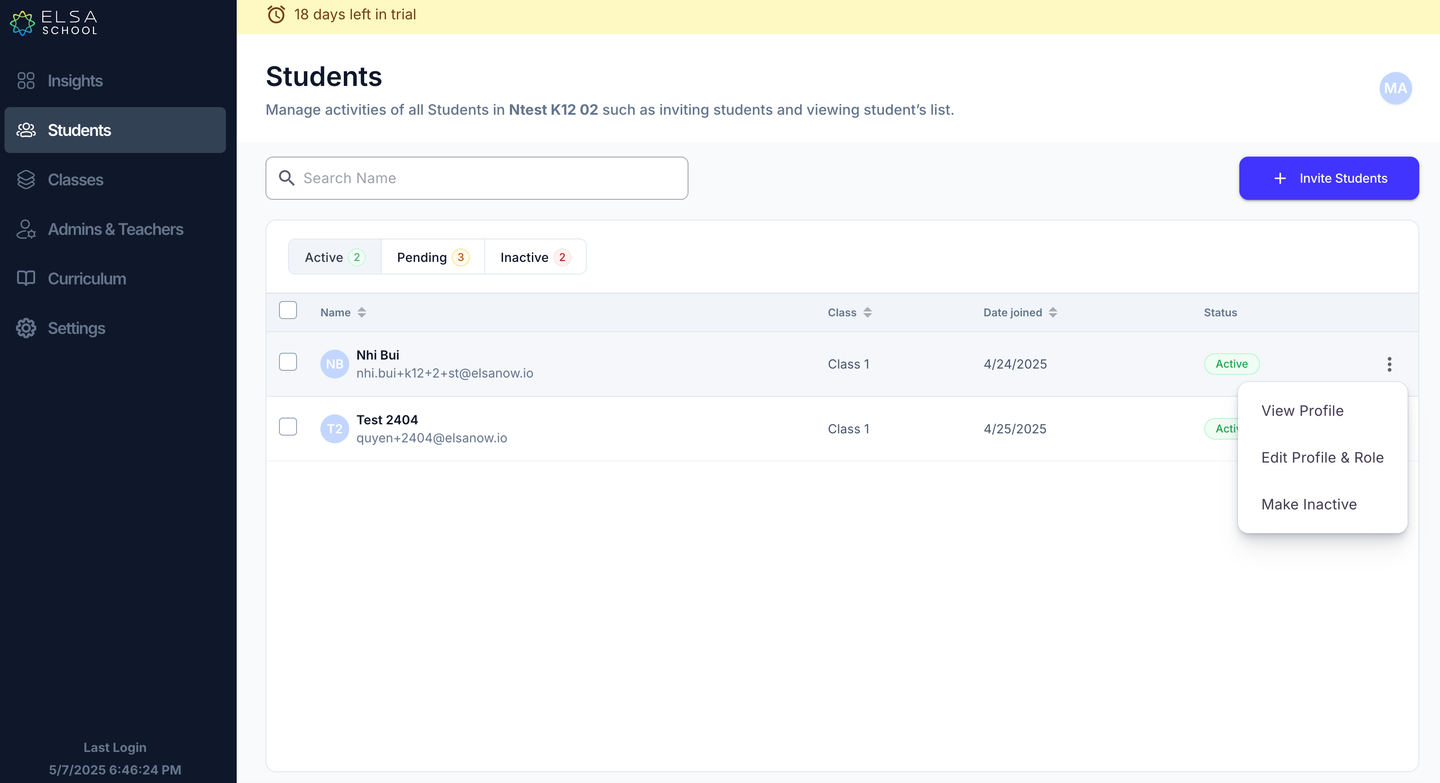
Navigate to the "Students" tab on the dashboard and locate the student whose access you wish to revoke.
Click on the ellipsis (⋮) located in the far-right column next to the student's name. Select “Make Inactive”.
A confirmation window will appear, asking "Mark as Inactive?". This message indicated that the action will remove premium features from the student's access.
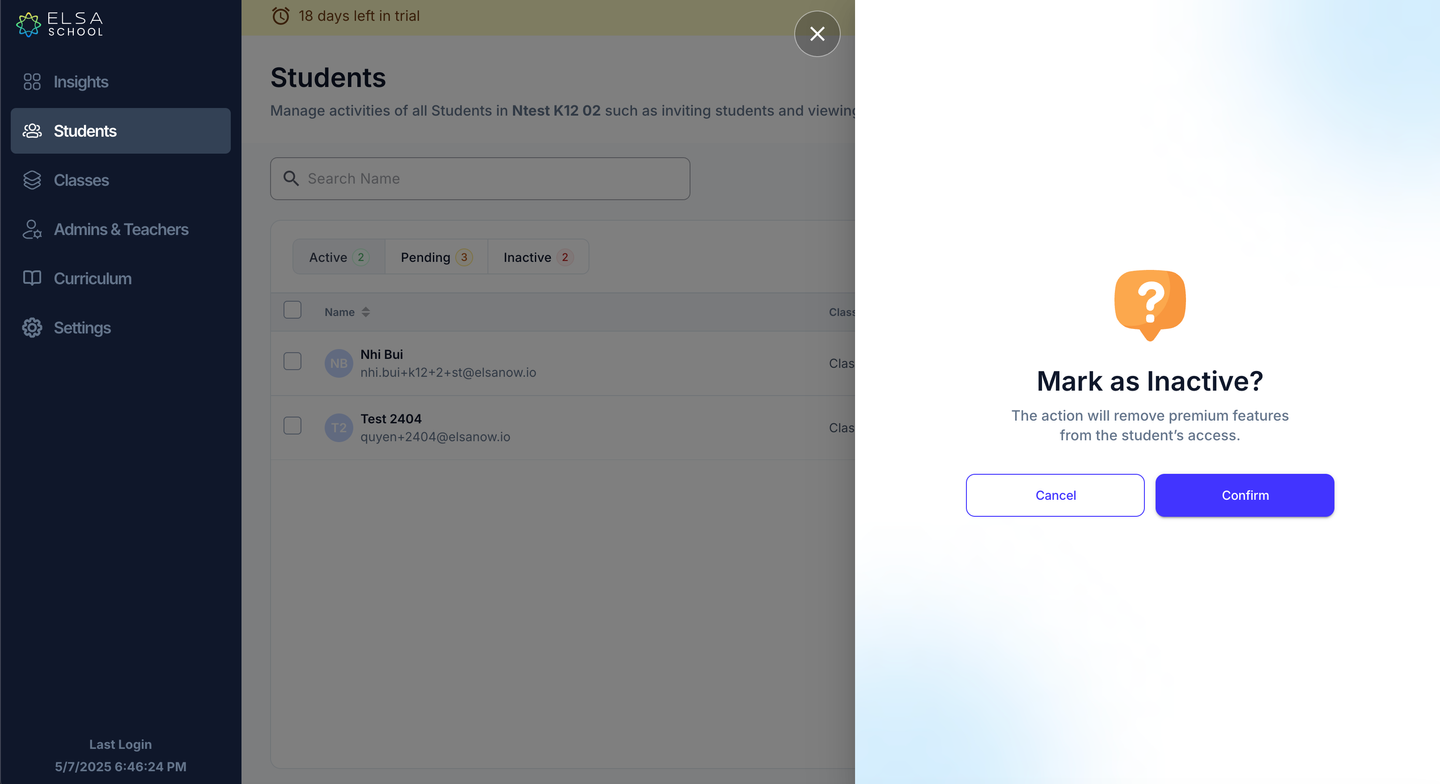
Carefully read the message and, if you are sure you want to deactivate the student, click the "Confirm" button.
The student's status will now be changed to "Inactive," and their access to the premium features of the student app will be removed.
Was this article helpful?
Was this article helpful?
Or open the chat in the corner to ask follow-up questions.